Seven things I like about the new Claude Projects
I moved my personal workspace from ChatGPT Work into a Claude Project. What I like about it, and the connector gap that still sends some jobs back to ChatGPT.
When OpenAI shipped ChatGPT Work at the end of August, I moved my general-purpose workspace into it. That covers research, personal admin, small websites and the odd explainer. Simon Willison's write-up covers what it does well.
Its browser agent quickly became something I relied on.
Everything I do with agents lives in one private Git repository called Cortex. ChatGPT and Claude both read from it and write to it, so neither depends on the other's chat history.
On 18 September I got access to the new Claude Projects, a public beta in Claude Code. I pointed a project at Cortex to see how it compared.
I've come to love it.
How a project works
A project is one long conversation with Claude. In that conversation Claude acts as a coordinator: it answers small things itself and hands larger jobs out as threads.
Each thread is a full Claude Code session in the cloud, with its own context window, its own clone of my repositories and its own branch.
When a thread finishes, it reports back. The coordinator reads that report instead of every step the thread took.
+0:00I type one line: "The contact link on my blog is broken. Can you fix it?"
The coordinator rarely does the work itself. It spends its time routing jobs and keeping records, so its own context stays small while the threads do the heavy lifting.
Checking in is easy. An Overview pane sorts every thread into working, waiting on me and ready for review, so I can catch up on a day's work over a coffee.
The good parts
1. A single entry point
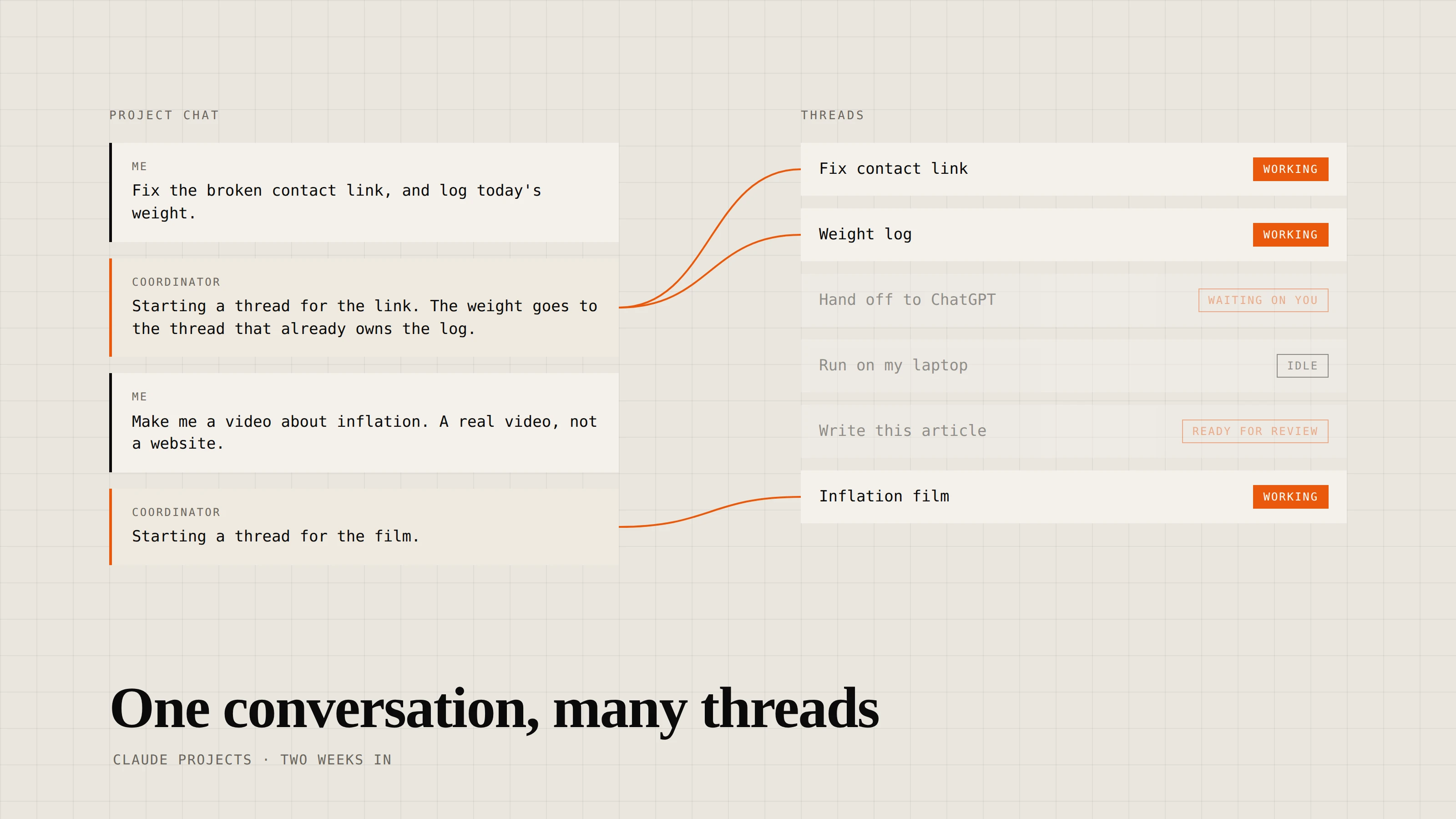
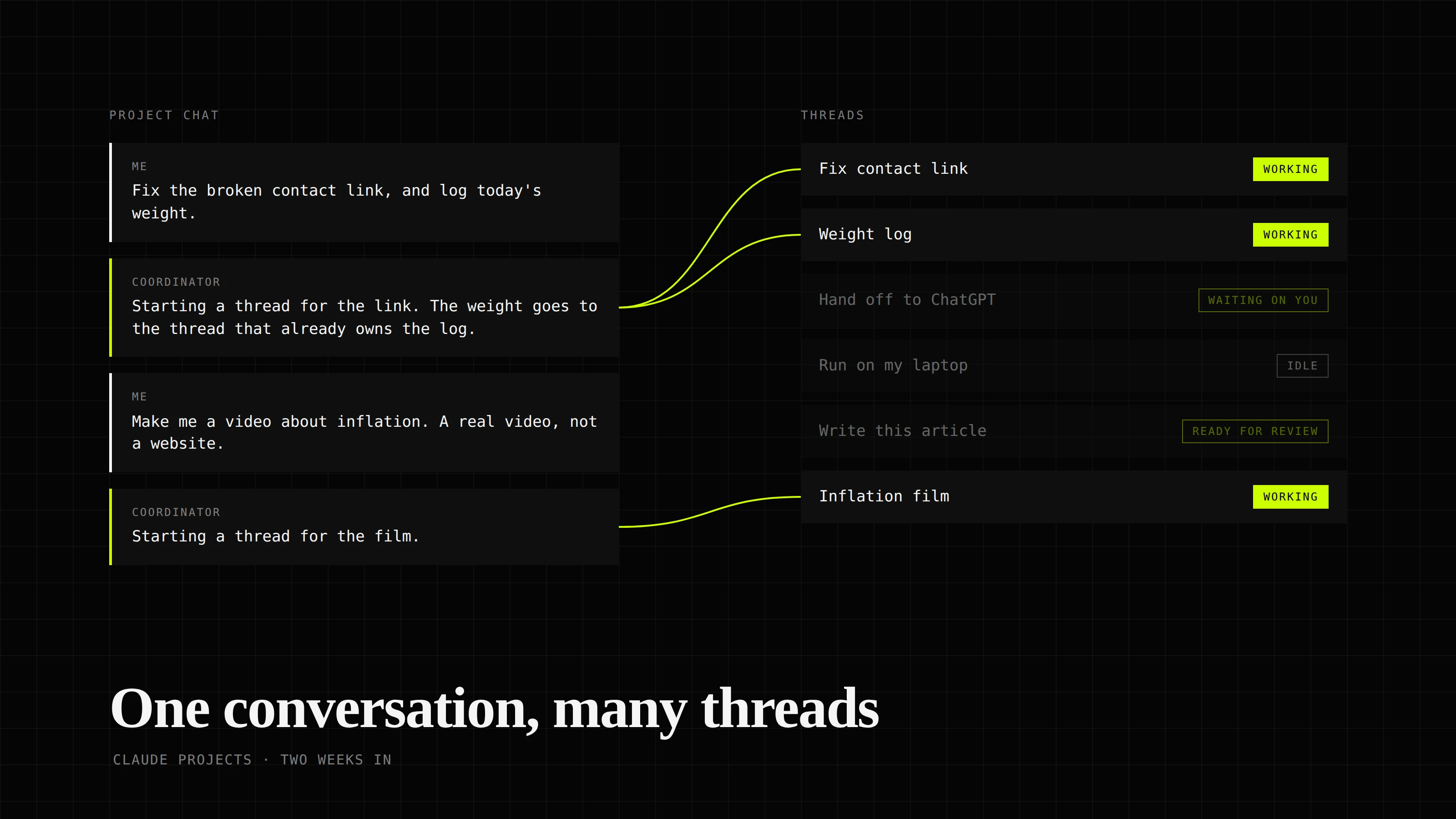
Anything I want done can go into the project chat. The coordinator answers it there, passes it to a thread that already owns that work, or starts a new thread.
- Can I answer this here?—
- Is a thread already on this?—
- Otherwise, start a new thread.—
- Fix contact linkResolved
- Weight logIdle
- Portal tasksIdle
- Research threadWorking
I keep a weight log in Cortex. The first entry started a thread, and every entry since has gone to that thread without me opening it.
Questions about the project itself, like which pull requests are open or what a thread is waiting on, get a one-line answer with links.
I don't have to go through the chat, though. When I want to steer one piece of work closely, I talk to its thread directly, because relaying every correction through the coordinator adds a hop.
This article was edited that way, in its own thread.
2. Every thread starts with the same context
In a project, a new thread is briefed before it reads my message.
I wrote part of that briefing once, as project instructions and instruction files in the repository. Claude keeps adding to the rest as we work.
The part Claude writes is project memory. When I mention a preference in passing, the coordinator saves it and every later thread inherits it.
Within a week Cortex had picked up rules like "small changes go straight to main" and "a video means a video file", and I hadn't written either of them down.
These rules don't fade as the conversation grows. A thread started on day ten gets the same briefing as one started on day one.
3. A second pair of eyes on every result
Because threads report to the coordinator, every result gets checked before it reaches me. The coordinator compares it with what I asked for and with what the project already knows.
In one of the sessions I did, I asked for a short explainer video about inflation. A few days earlier, a different thread had built me a 3D explainer that looked great and made my laptop run hot.
So the coordinator's first note to the new thread was to keep this one light from the start.
Then the thread started building an interactive web page instead of a video. I replied in the thread: "No the previous was a website. I want a video."
Note to thread: check against Rav's correction. What you published is a page with sliders. Render each film as a real video file and keep the page as a companion.
My correction (attached to the note), project memory ("a video means a video file"), and the thread's report.
The thread missed my correction and kept going. When it reported a finished "film", the coordinator checked the report against my message, saw it was still a web page, and sent it back with my words attached.
Within the hour I had two narrated videos with captions.
4. Threads hand work to each other
Threads don't share a context window, so the coordinator carries what one thread learns to any other thread that needs it.
I use another project for building MCP servers. I asked for two things at once: a checklist for how those servers should be built, and a review of a new server against it.
The review depended on a checklist that didn't exist yet.
I ask for a checklist for building MCP servers, and a review of a new MCP server against it. Both threads start.
The coordinator didn't make the review wait. It told the reviewer to start reading the code and noting problems in the meantime.
When the checklist went up as a pull request, the coordinator passed it across straight away, and the reviewer matched each finding to a check. I had both within minutes.
5. Repository access without handing over a token
To let ChatGPT Work push to Cortex, I had to store a GitHub personal access token on its shared virtual machine, where every session could read it.
That meant any session that got confused, or followed a malicious instruction on a web page, had write access to my repository within reach.
In a project, the repository is built into the harness. Access goes through the Claude GitHub App, and the credentials stay on Anthropic's servers.
A thread just runs git push, and Anthropic's GitHub proxy handles authentication on the way out. There's no personal access token for me to create, store or rotate.
Every session can read the token.
6. Other agents can share the work
Because the project works out of an ordinary Git repository, agents outside Claude can join in. A Claude thread can write a task into a file, push it, and leave it for ChatGPT.
The Claude thread writes the task into TASKS.md and pushes.
I used this when I was pulling together some paperwork. I needed documents from a few web portals behind my logins, and later some email attachments downloaded.
Each time, a Claude thread wrote the job into a TASKS.md file. ChatGPT did the part Claude couldn't, pushed the results, and the Claude thread carried on from there.
It's clunky, because I'm still the one telling each agent to go and check the repository. Even so, it got the paperwork done without me copying files between apps.
7. It has manners
A quick aside from me doesn't get a paragraph back. Claude can reply, react with an emoji, or quietly pass a message on, and it picks whichever fits.
When a thread needs a decision from me, it posts a card with a few options and a recommendation. It keeps working on the recommended option until I pick one.
While this article was being edited, I dropped a link to some extra reading into the project chat. Claude passed it to the thread doing the editing and left a thumbs-up on my message.
The not-so-great parts
Connectors are where Claude falls behind
Anthropic leads on agentic and harness engineering. But an agent can only do what its tools allow, and OpenAI's connectors can still do more.
This is my biggest frustration with Projects. Claude has the better harness, and ChatGPT still has the better connectors.
Gmail is the clearest case I hit. For the paperwork I mentioned earlier, I needed last year's documents, which were sitting as attachments on a single email.
ChatGPT's Gmail connector can read an attachment and download it. Claude's could read the message and list the attachment names, and had no tool to fetch the files. So the job went to ChatGPT through the repository.
The gap also led to a misleading report. Before I noticed it, the thread's report described the attachments as if it had opened them.
When I asked directly, it admitted it had only seen the filenames. In its words, it had been "reading labels off an envelope".
Nothing explains where the cloud ends and your computer begins
Threads run in the cloud by default. That changes what they can reach and how permissions work, and nothing in the product walks you through it.
The paperwork also needed documents from a few web portals. A cloud thread told me it had no browser, so it couldn't log in to them. I took that as another gap like Gmail and sent the job to ChatGPT.
Days later I found out a project can run a thread on my own computer through Remote Control, with my real browser and my logins.
Permissions caught me out too. A cloud thread asked me to approve every new website it opened. A settings file in the repository fixed that, but in the cloud a repository's permission rules only apply when the project has exactly one repository.
Memory is the difference that surprised me most. A thread on my computer doesn't load project memory. It reads the Claude Code memory kept on that computer instead, and the two never sync.
I saved a test fact in each and asked a new thread of each kind.
| Fact saved in | Cloud thread knew it | Laptop thread knew it |
|---|---|---|
| Project memory | ||
| My laptop's Claude Code memory |
A short introduction the first time I opened a project would have saved me days of sending work to ChatGPT.
It paraphrases
This one is smaller. The coordinator rewrites my messages before passing them to a thread, and sometimes the meaning shifts.
In a creative coding project, I wanted a thread to try drawing libraries other than p5.js, so I said "do not restrict to p5js". The thread received "p5js is no longer a requirement".
That told it p5.js was optional. It didn't tell it to go looking at anything else.
The coordinator sometimes attaches my original message as well. I'd like that to be the default.
Final thoughts
After a couple of weeks of running my personal workspace through a project, I think the potential is amazing. I hand work to the coordinator and trust it to keep track.
For that to hold, Anthropic needs to close the connector gap with OpenAI. Until then, some of my work will keep going back to ChatGPT.