Claude's Inline Widgets: Anthropic's bold entry into GenUI
Claude has had artifacts for a while. Now there's a second inline component rendering system.
Claude has had artifacts for a while. These are React components and HTML apps rendered in a side panel next to the conversation, which are shareable.
There's a second rendering path now: inline widgets. These are HTML/JS fragments that render directly between chat messages, inside the conversation itself.
I spent a day building things with them to find the nitty-gritty. Here's what I found.
How the system works
The canvas entrypoint is called visualize:show_widget. It is an internal tool that Claude is able to call.
It takes three parameters:
a
title(used as the filename on download)loading_messages(short lines shown while it renders)widget_code, which is raw HTML, CSS, and JavaScript in a single string.
Just one blob of vanilla HTML goes into a sandboxed iframe and renders inline.
Before the first widget call in a conversation, Claude loads a design system spec via visualize:read_me. This returns CSS variable names, colour ramps, typography rules, spacing tokens, and dark mode requirements. That's enough to make widgets look native to claude.ai rather than like embedded third-party content.
The code streams token-by-token as Claude generates it. This makes structure matter: styles go first (they're short), then visible HTML so content appears progressively, then scripts last since they only execute after streaming finishes. Inline styles are preferred over style blocks because form elements need to render correctly mid-stream.
What I built with Claude
I had some fun playing with this and got around to building a few things:
MS Paint
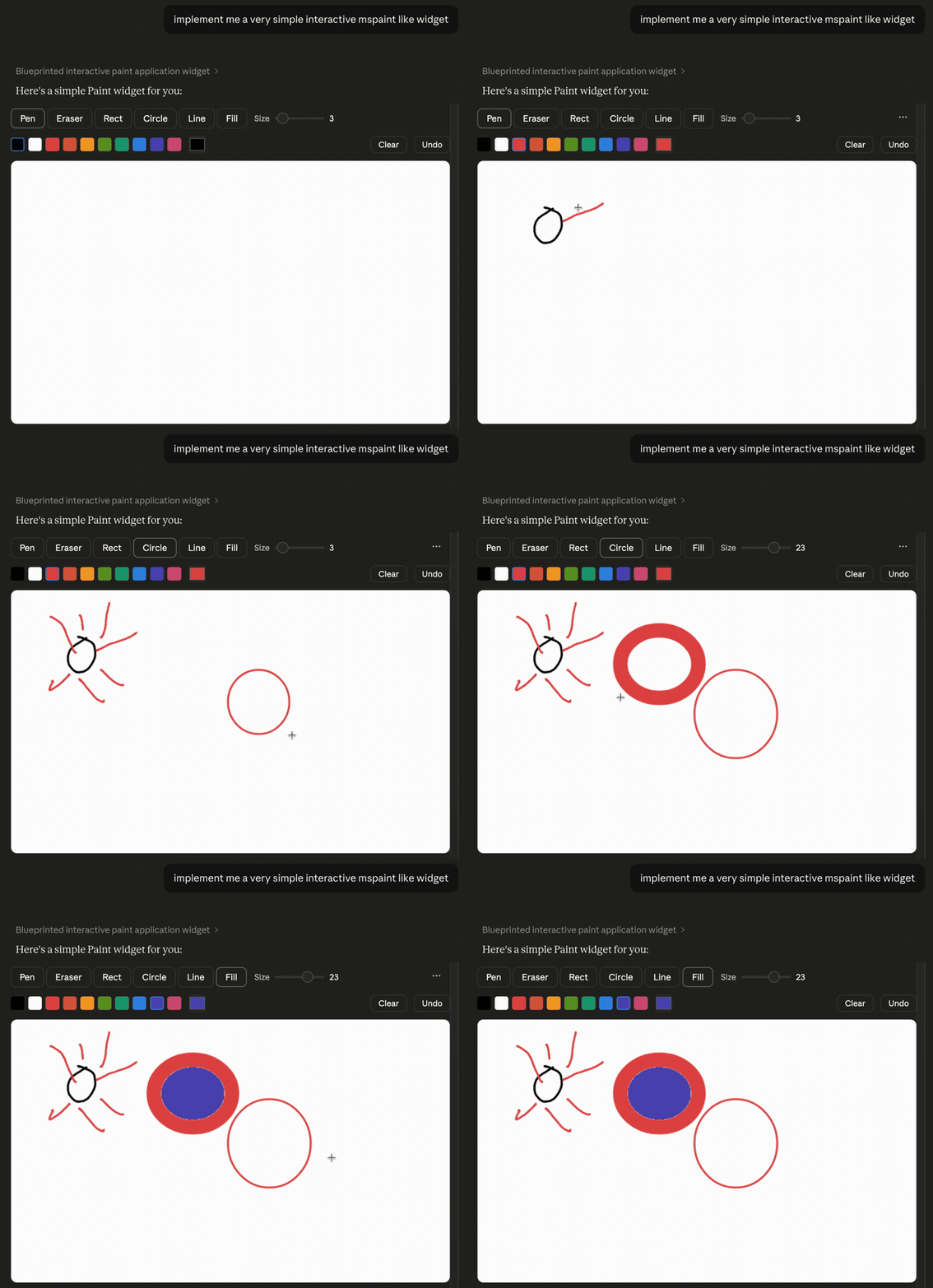
Basically a mini MS Paint clone. A canvas-based drawing app with freehand pen, eraser, rectangle/circle/line tools, flood fill, a colour palette with custom picker, adjustable brush size, undo, and clear.
Form input with data capture
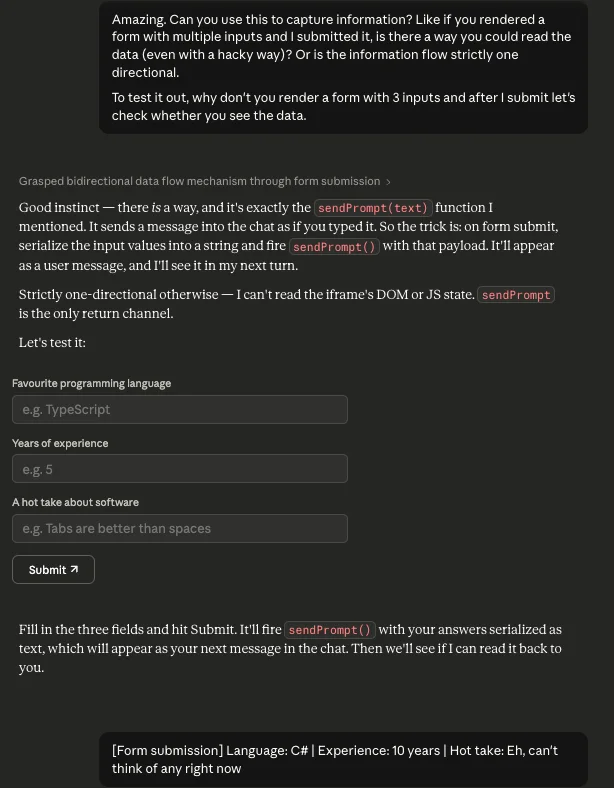
Standard HTML form but on submit, the handler joins the values into a formatted string and calls sendPrompt(). The string appears as a user message. Claude reads it on the next turn and parses the values.
Drum machine
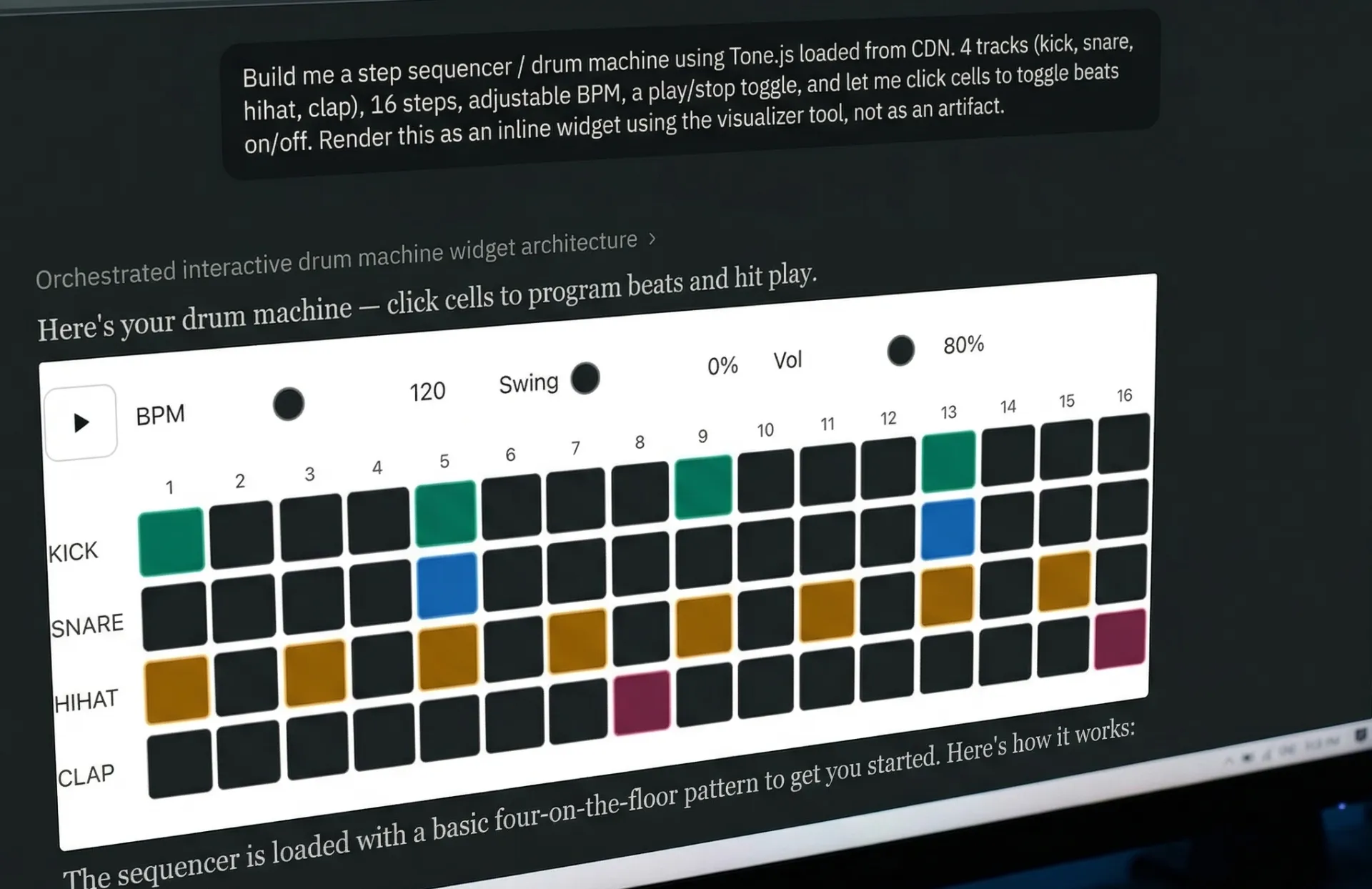
A 4-track, 16-step sequencer using Tone.js loaded from cdnjs.cloudflare.com. Kick, snare, hi-hat, and clap. Each track is a row of clickable cells. BPM, swing, and volume sliders update during playback. The active column highlights as it plays.
All four sounds are synthesised in-browser. No audio files were loaded.
Instagram profile clone
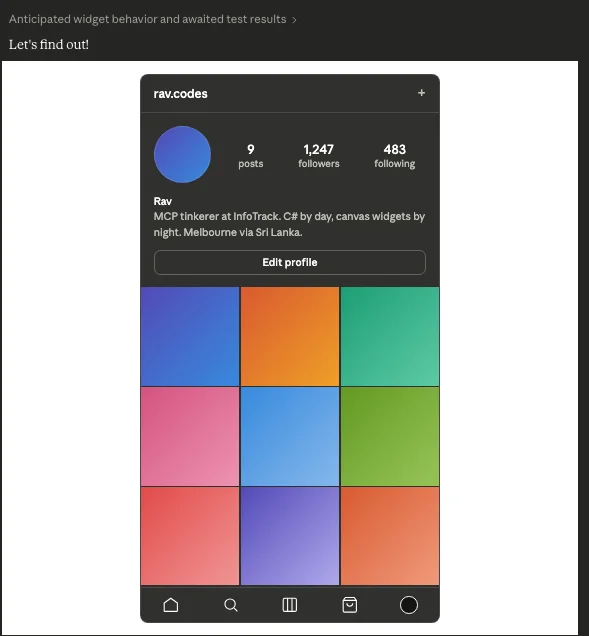
A mock profile page inside a mobile phone frame: circular avatar, username, bio, follower/following/post counts, a 3x3 photo grid, and a bottom tab bar with SVG icons.
I tried getting it to use Unsplash for the grid images. But the CSP sandbox blocks all external resources except for the four allowed CDN domains.
Claude tried to add a setTimeout after 4 seconds that counts loaded vs failed images and calls sendPrompt() with a report. This confirmed the issue but introduced its own problem, or a funny bug if you want to call it that. The diagnostic started firing on every re-render, not just the first load so every tab-switch, scroll back to the widget ended up retriggerring the agent.
Bouncing balls in a hexagon
I did a throwback to the classic AI benchmark. It's 2024 again. Took a couple of turns as visible in the video to get it right.
Twenty balls with randomised sizes, colours, and velocities, bouncing inside a regular hexagon. Gravity pulls them down. Wall collisions reflect velocity against the edge normal with energy loss. Ball-to-ball collisions use elastic collision physics. Each ball leaves a fading trail.
Limitations and quirks
CSP covers everything, not just scripts. The allowlist (
cdnjs.cloudflare.com,esm.sh,cdn.jsdelivr.net,unpkg.com) applies to images, fonts, stylesheets, and all other external resources. Anything outside those four domains is silently dropped.sendPrompt()posts a visible message. There is no hidden data channel between a widget and Claude. Everything goes through the chat as a user message.
Routing defaults to artifacts. Without explicit instructions like "use the visualizer, not an artifact," Claude may create artifacts for complex requests. Explicitly state that you want a widget to avoid this.
Multi-turn sendPrompt loops are fragile. We tried a 20 Questions game where the widget relays each guess via
sendPrompt()and Claude re-renders the board each turn. It didn't work reliably. You're better off usingwindow.claudeto send messages back to a different Claude agent.
Final thoughts
Why does this matter beyond fun canvas experiments? The true potential of inline widgets comes into focus when paired with the Model Context Protocol (MCP), the open standard used to connect Claude to external tools and APIs. Typically, an MCP tool returns raw JSON data, and Claude decides how to present it as text. But, as we've seen, Claude can also be instructed to render bespoke UI blocks dynamically.
This intersection of MCP and inline widgets opens the door for generative UI driven entirely by tool descriptions. While native MCP features designed for user input (like elicitation) are still rolling out across chat clients, giving Claude interaction directives acts as a robust fallback today. By embedding presentation hints directly alongside data payloads, server developers can steer Claude to generate rich, interactive visualisations instead of simply printing out data. Ultimately, the gap between a simple tool response and a dynamic visual experience is just a well-written instruction on the return payload.